Scroll any short-form feed in public and you'll notice how many people have the sound off. On a train, in a waiting room, in bed next to someone sleeping. If your clip only works with audio, it doesn't work for them.
Captions fix that, but they also change how a clip feels. Here's how to choose.
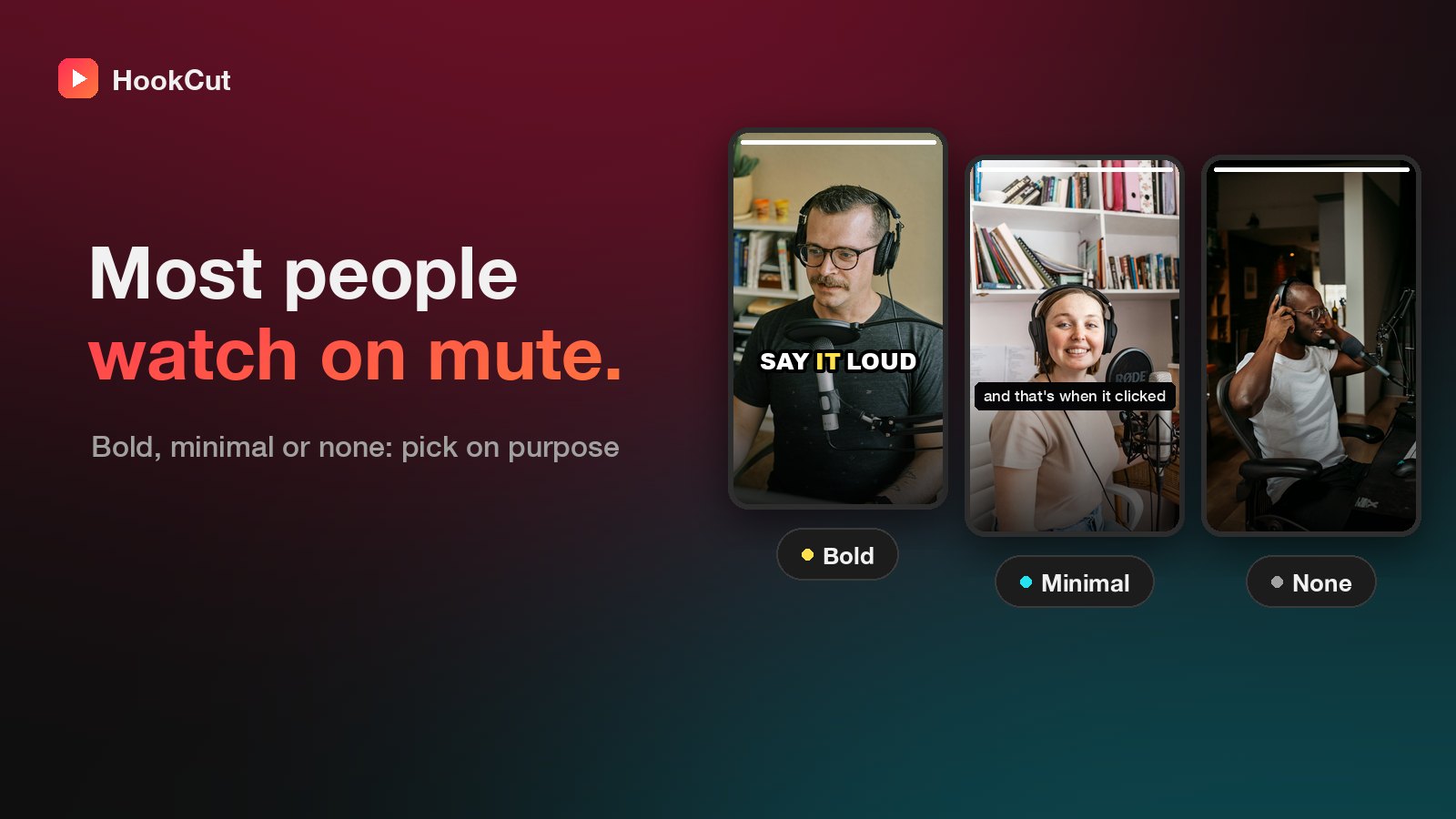
Bold: word-by-word highlights
Big, heavy text in the middle of the frame, with the word being spoken highlighted as it goes. This is the style you've seen on most talking-head Shorts.
- Best for: opinions, stories, punchy advice, anything where the words *are* the content.
- Why it works: the moving highlight gives the eye something to follow, so viewers read along and stay longer.
- Watch out for: busy backgrounds. Bold captions are outlined to stay readable, but a calmer shot still helps.
Minimal: clean subtitles
Smaller, sentence-style subtitles at the bottom of the frame, like a film.
- Best for: interviews, calmer conversations, educational content and brands that want a quieter look.
- Why it works: it's accessible without competing with the speaker's face.
None
Sometimes the video already has text on it (a slide, a screen recording, a meme overlay), or the moment is visual: a reaction, a demo, a performance. Adding captions on top just makes it messy.
How to pick
- If the clip is someone talking to camera, start with Bold.
- If your audience expects a polished, professional feel, use Minimal.
- If there's already text on screen, choose None.
In HookCut
You pick Bold, Minimal or None on the upload screen before the clips are made, and the captions are burned into the video so they show up on every platform. Each clip also comes with its transcript, which you can paste into the post caption to help with search.